


Contents

Back
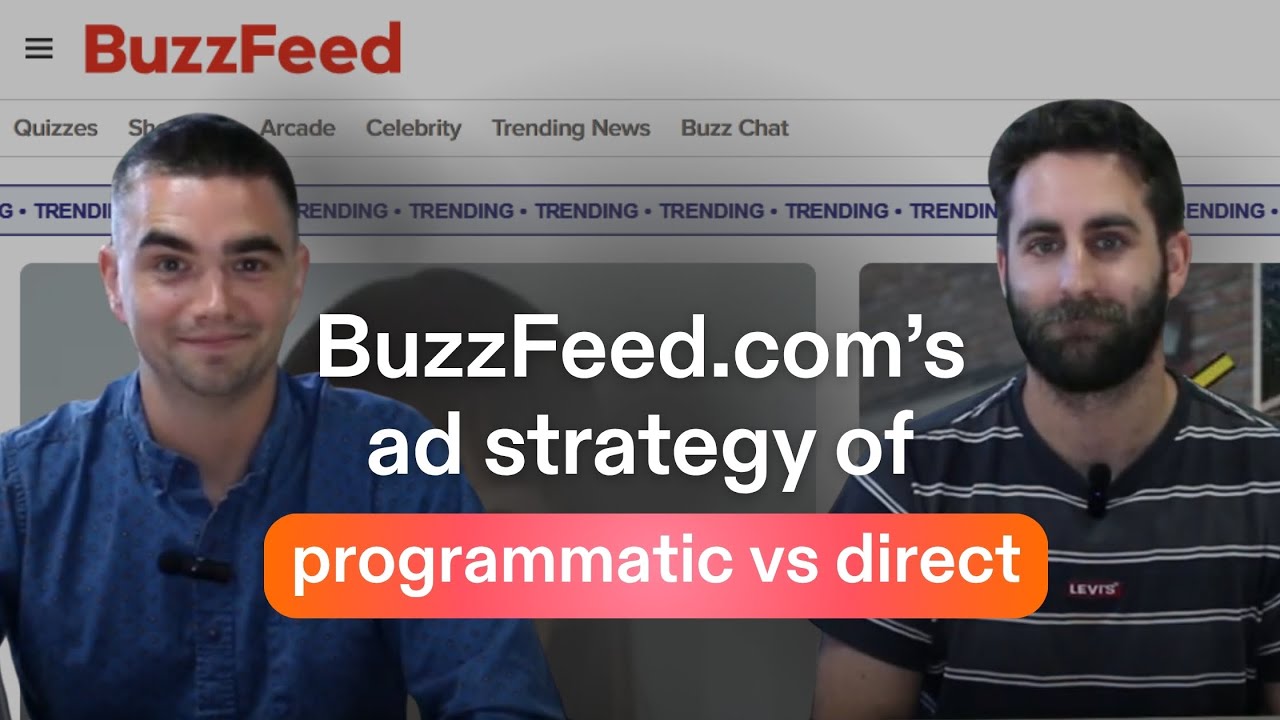
BuzzFeed.com's Ad Strategy: Programmatic vs Direct
Key Takeaways
- BuzzFeed's traffic is overwhelmingly search-driven (~45%) — not social — despite its viral reputation.
- They run a programmatic-heavy stack with many SSP partners, including resellers, to maximise yield.
- Their ad layouts are deliberately built around content type: quizzes and long-form articles with infinite scroll create high-viewability, high-density monetisation opportunities.
- BuzzFeed uses Permutive as their DMP and appears to run active A/B tests on ad density and layout, passing contextual and sentiment signals through their ad stack.
- On mobile, the quiz format delivers an in-view ad unit per question — a highly viewable, near-clickable placement that performs well on metrics.
- The last half of desktop articles has almost no ad units — a pruning decision that leaves yield on the table.
What does BuzzFeed's traffic look like, and why does it matter for CPMs?
Ben: We're going to open up some of our Chrome extensions and get into some of the data that we can see here. Jumping into our friend SimilarWeb first to get an understanding of the traffic that they have. So I'll pass to you Brock, but pretty good traffic going on here.
Brock: Yeah, massive volumes and you can kind of see a good spread of countries there, and that makes a lot of sense. US-driven or tier-one country-driven, which means they're probably going to have a pretty healthy CPM.
Definition — CPM: cost per thousand ad impressions.
Ben: Yeah.
Brock: In terms of traffic sources, you can see search leads the way, which I think makes the most sense.
Ben: I hate to admit it, but I've done a few BuzzFeed quizzes in my time, and yeah, it's always been through an obnoxious search query through Google. So maybe I'm part of the 45%, but logically that would make a lot of sense to me.
Brock: Yeah. And if you scroll back up to the top — yeah — really what we're trying to look for is the average visit duration. Like as you said at the start there, Ben, you've got people sitting here sort of clicking buttons, moving through a slideshow or moving through a quiz. Two minutes is plenty of time, and in their case, plenty of time to get a lot of good ads served and make them as viewable as possible.
Ben: Yeah. The surprising thing for me is just that social isn't super high here as a referral source. I don't know if that's a new trend, but I always thought a lot of traffic would have been coming from Facebook and stuff like that.
Brock: This probably is the case. 6% of 92 million or whatever the number is, is still plenty. But I would think that you're getting a lot of referral outside of Facebook and outside of Instagram most likely. It's the way that I've personally used and I've seen it being used.
Ben: Yeah, it's always been through some sort of search algorithm.
How does BuzzFeed's Prebid setup work — and who are their bidding partners?
Ben: We're jumping into Professor Prebid to get a handle on the kind of ad tech that they've got in place. Kind of first thing we can see — they've got a number of different ad units set up, relatively simple. Those are requested sizes coming through there.
Brock: That's right. So this will give you an understanding of all the sizes that you are requesting per ad unit. In this case, it looks like they've got a fairly innocuous ad unit code, which is interesting. So perhaps they've got some server-side rendering or an interesting naming convention that isn't obviously human-readable but might be some obfuscation going on.
Ben: Yeah. But generally a pretty standard mix of bidders that I can see on the right. They've got a combination of your standard SSPs — traditional partners I can see in there like OpenX, Xandr — and then it looks like they've even got a few of the rebroadcasting reseller types as well, like Rise, I thought I could see there.
Definition — SSP: Supply-Side Platform, used by publishers to manage and sell ad inventory programmatically.
Brock: Yeah, to an extent — which really means they are looking to maximise yield. There's perhaps a little knock, shall I say, in the industry for using sort of resellers and pushing inventory out through other channels with extra hops from a transaction point of view. But these guys provide a lot of value in various ways, particularly signal optimisation, traffic shaping, these kinds of features. So I would say that's probably a positive thing for them to get a bit of extra cash.
Ben: Yeah, it's a funny one because it's positive on the publisher side because whether or not they're bringing a lot of their own demand, they're increasing CPMs. There's more demand coming through that pipe. But from an advertiser perspective or DSP, they'd really rather it be a single line straight through from the advertiser to the publisher.
Definition — DSP: Demand-Side Platform, used by advertisers to buy programmatic ad inventory.
Brock: These guys can offer value for advertisers as well.
Ben: Yeah. Having a little look in the config — I can see they've got a ton of IDs in place. Pretty usual setup of "more is more" in that sense. And my guess is, with their tier-one traffic, they've probably got a lot of Safari traffic as well — right? So trying to make up for cookieless environments in there.
Brock: That's right.
Ben: And then it looks like they've got some price floor tooling in there that's dynamic, maybe from Rubicon.
Brock: Yeah, Magnite. It's a Demand Manager setup. So they're using a hosted Prebid, and we can check the console if we need to. Generally what that means is they are focusing on what they do best, which is probably making quality quizzes and content around the key trends that they touch, and leaving a lot of the hardcore Prebid minutiae to a third party or to an SSP in this sense.
Definition — Prebid: an open-source header bidding solution that allows publishers to run simultaneous auctions across multiple demand partners.
Ben: Yeah. So generally strong ad stack there with lots of partners. They're probably going for the maximisation of programmatic versus maybe preserving data or kind of direct.
Brock: Possibly. I think with their brand, they are afforded the opportunity to do both — definitely get as much as you can through open market, through open auction, and probably even curated semi-open auction deals. But this is a brand everybody knows. It's good US traffic most likely. They'll have a very robust direct strategy and/or programmatic direct.
Definition — Programmatic Guaranteed (PG): a type of programmatic deal where inventory and pricing are pre-negotiated directly between a publisher and advertiser.
What does BuzzFeed's desktop ad layout look like — and what trade-offs are they making?
Ben: Okay, so let's jump into the layout where we've got a few interesting things going on. What's the first thing that jumps out at you here as we scroll down the page?
Brock: Yeah, I think this is by design in terms of jumping out — the above-the-fold 970x250 at the very, very top. So maybe give it a refresh and see what happens. But my guess is, for the unfortunate soul that doesn't have a super-quick internet, they're going to get a bit of layout shift, and you kind of see it there.
Definition — CLS (Cumulative Layout Shift): a Core Web Vitals metric that measures unexpected movement of page content, which can negatively affect both user experience and SEO rankings.
Ben: I think it's probably not a huge problem for them. Obviously search was a big thing, but they've done a little bit of work to protect against it — i.e. they've got long content, so the relative impact is not too great. They've also put in some min-heights. So when you refresh there before the creative served, there was actually a little bit of space afforded to it. So perhaps some of the time they're running a 970x90 or 728x90 and the user is not affected.
Brock: Yeah. But either way, again, it's big brand, it's above the fold, it's high-impact creative. They're probably going to be able to do a bit of sort of video-within-banner stuff there. My guess is that's a pretty high-performing unit relative to the rest of the page.
Ben: Yeah, because if you were a different publisher, you know, you're above the fold, got some push-down — like, that's not good for your CLS or your Core Web Vitals generally, but they're just making a trade-off here really.
Brock: Yeah, that'd be my guess. The one thing that would be interesting, which we obviously don't know today, is how much interaction they get out of the burger menu and the rest of the buttons. If people are interacting with that semi-frequently, then that's going to be visible — you're going to get a good viewability score there.
Ben: Yeah. Okay, next one that pops out to me is this super interesting little 300x50 here. So basically a mobile size — they've put it as a little sticky that can kind of be pushed away like that. Which is pretty unique. I haven't seen one like that before.
Brock: Yeah, I think the traditional approach really is to have a 728x90 down there but have it centered. My guess is they've decided to maintain the high viewability impressions and probably a lot of refresh opportunity there as well, but not inhibit the user's readability. So instead of having something that sits central of your screen exactly over your content — particularly when you've got, like, what we have in our example, we've got a big video that's taking up most of the viewport at present relative to content and a big leaderboard — that might not be great. They're still getting the benefit of volume. So from a metrics point of view, plenty of impressions to fill, super-high viewability, out of the way, closable, which is nice. The trade-off they've made there is it's small.
Ben: It's small. On mobile it's pretty small.
Brock: But it's going to pull up viewability across things, and it kind of fits in nicely. Doesn't impact the user.
Ben: That's right. Next thing is, there's a lot of video going on. So they've managed to get quite a lot of video throughout the first few slots, from what I can see.
Brock: Yeah, it's interesting because it looks as if there's two or three video opportunities before the user gets the content. So I would have questions around view-through rate and interactions like that. It's hard to say without the data. They do a good job of maintaining identity past that point. But they're probably also able to sell quote-unquote "above the fold" video — even though it's outstream technically — which might still yield a decent CPM and the trade-off might be worth it.
Definition — Outstream video: video ads that play outside of a video player, typically within article content, as opposed to instream ads that play within video content.
Ben: Yeah. Apart from that, seems to be a lot of direct coming through. So there's clearly quite a lot of direct sold across the site. They're refreshing direct, which is interesting. A lot of publishers will decide not to refresh direct to kind of maximise the quality of that inventory for their advertiser, but it's a decision. And they've got some nice lazy loading — so everything's lazy-loaded. It's a super-long page, so you'd want to be doing that. And they've got this nice little mini-scroller piece, as we call it, where the ad is just sticking within its container as we scroll. So some cool stuff in there.
Ben: Okay, and we scroll the whole way — so the last half of the article actually doesn't have much advertising or ad units within it, which I guess they've just decided they've put them all up where you're most likely to see it. But I would have probably just had a few recur, you know, after X paragraphs or something like that.
Brock: Yeah. One potential reason for that is just average scroll depth by cohort, or by quartile. And it might be the case that on desktop, or in this genre of article, there isn't much relative to others, and therefore what's the point? It's still going to be highly viewable. You will lazy-load it on a long page like this, so there's a counter-argument of how much of an impact negatively could it possibly have, but maintaining your supply — even though you've made decisions like plug a 320x50 in — in all cases, it might just be a pruning mechanism.
Ben: Yeah. And then we've got basically infinite scroll after the article. So we've got these kind of related-post modules, and we've got a big billboard in between every single one. So if somebody does scroll forever before finding some clickbait, they'll be advertised and monetised.
Brock: Yeah, infinite high-viewable 970x250s.
Ben: Yeah, an advertiser's dream.
How does BuzzFeed use audience segmentation and A/B testing in their ad strategy?
Ben: So we're going to look through the mobile layout now. Before we jump in, we wanted to quickly touch on their audience strategy. So we had a quick look at some of the targeting on the page and wanted to pull this up a little bit and talk through it. A lot going on here. Obviously using Permutive as their DMP. Any interesting things to take away from what we saw within here?
Definition — DMP (Data Management Platform): a platform used to collect, organise, and activate audience data for ad targeting.
Brock: Yeah, I think the message for everyone on this is, there's probably a few things happening. One — that you mentioned — DMP and actually doing some sort of user segmentation. But there's also a lot of, I want to say, contextual segmentation happening, but not only for the purpose of advertising through some sort of pipe (be it SSP or direct) — that definitely is happening. But I would also hazard a guess that they've got internal layout A/B testing built in in some way, shape, or form.
Ben: So there were a few in there around like "not safe for work" — a really easy one.
Brock: Yeah.
Ben: Ad density.
Brock: That's right. Ad density by desktop, by mobile.
Ben: Yeah. The addition of like a shoppable unit.
Brock: Yeah. What that looks like from afar is, every time they do make some sort of layout change, or even just generally an advertising change, they're passing some value through. They're perhaps running an A/B test, or simply just running some analytics on it. But that's generally pretty good from a best-practices point of view. We're a big proponent of "send values and report" and run experimentation, and this would be a good method to do so.
Ben: Yeah. So I guess we can see they're definitely doing some experimentation and A/B tests. They're definitely categorising this. They've got the sentiment as "positive" for this one versus "negative," so giving themselves some kind of ability to sell their audiences in certain ways. They've got the DMP as well to segment out audiences in there.
What does BuzzFeed's mobile ad layout look like on a quiz page?
Ben: Okay, let's jump into mobile. So we've gone with a quiz page this time — slightly different layout — to kind of bring you through a probably high-traffic section of the website. First thing we can see, we've got — similar to desktop — the top unit above the menu and logo. Generally it has low viewability. Like I know what you mean about, if people are interacting here, you've got at least something there, but from our customers, often that's kind of like a 30% viewability thing depending on speed of page load.
Brock: Yeah. I think it is a much more attractive unit from a metrics point of view — maybe not aesthetically — on desktop than it is on mobile. Think about it — like, a lot of people will be on dodgy 4G connections on a train. Like, that's never loading quickly.
Ben: No, definitely not. And then we've got our mobile sticky. So it looks like it's the same kind of unit that was on desktop, same size. So we've got our first question that we've answered here, and I got it wrong, but I didn't read it, I promise. And we've got an ad unit on page — we've got a simple 300x250, but it's within the window of what you'd be using.
Brock: Yeah, it's not obvious that there's any native happening in this sense, which would add a little bit. You could also look at things like interscrollers, but perhaps they're running those programmatically — we can't see them. The rule of thumb is, when you're attacking your first MREC or your first 300x250 on mobile, that should be your masterpiece in terms of a metrics point of view and options point of view. So I would like all publishers to have a think about what's happening within one fold and perhaps even two folds of the viewport. So we're not talking about what's happening with your above-the-fold stuff — that's just going to run and be a volume play. Get an MREC within one fold. That's where users are going to be.
Definition — MREC: a 300x250 medium rectangle ad unit, one of the most common and high-performing display ad sizes.
Ben: And then —
Brock: Why? Because people have this thing that they do all day, is they scroll.
Ben: Yeah, yeah. And you see that, you know, kids these days on iPads are experts at it. I've been caught in death spirals on Instagram as well.
Brock: Yeah. All you're really doing is flicking. So if you are waiting for anything to load on your mobile, by example, either you're going to bounce or you might scroll. I would be very, very surprised to see that there'd be any data that BuzzFeed had that didn't back that up. Which means you're loading your ads in parallel with that behaviour, and most likely your users are going to end up one to two folds below. So you want to hit them with the ad creative — particularly if it's a high-impact, like an interscroller or a rich-media format. You want to get them where they are, get the viewability impact, get the viewability metric, and yield really highly.
Definition — Interscroller: a high-impact mobile ad format that reveals as the user scrolls, typically occupying the full viewport briefly.
Ben: Yeah, yeah. And the layout's generally pretty simple. Not a lot of video. I would have thought, you know — maybe it's just not, or they've not got it across this quiz.
Brock: Yeah, it's tricky with video on mobile. Again, it's the same thing — you're loading a heavy bit of content. It might be a decision by the BuzzFeed team to not go through that pain.
Ben: Yeah, key takeaway though is, for each question I've got an in-view unit that's probably performing extremely well. It's got great metrics. It's near clickable content, so often you've got pretty good performance from it as well. So well thought out, well put together in place. I think the small ones we had there — I mean, I would definitely be testing video. And then some kind of rich media stuff like interscrollers as well. Feels like an easy win there too.
Brock: You can do a pretty well-done sticky video, right? There's vendors out there that offer — you can scroll through, type of video where something pops up 15 seconds, disappears, so it's not too intense on the user. Alternatively, your traditional video players will offer you close buttons and other, I guess, maintenance factors that you might want to maintain — the user experience.
Ben: Yeah. And then we've got our infinite scroll of related posts that we could go into, that kind of goes on forever and gets that long tail of users that might get stuck on what they're going to look at next.
Summary: What can publishers learn from BuzzFeed's monetisation strategy?
Ben: Okay, so that was the BuzzFeed Layout Teardown. We went through, you know, from their content strategy — they're really the data kings when it comes to making viral content, and we can see that they're doing that across their monetisation strategy too. We saw in the targeting there's some A/B testing in there. Their layouts are extremely well-built around the content type that they have. Great ad density in there, going for that programmatic-heavy kind of push.
Brock: Yeah, I think they've done a good job, in summary, of balancing the needs of the direct PG (programmatic guaranteed) business and keeping the lights on with the open auction.
Ben: Yeah. Okay, so that's it, and thank you so much for watching. If you enjoyed the video, leave a like, leave a comment if you learned something, subscribe if you can, and we will see you here next time.
This is an edited transcript of Layout Teardown, Episode 6. The words are Ben and Brock's own — lightly edited for readability (filler words, false starts, punctuation). No claims have been rewritten or generated by AI.
.svg)